
Custom CRM development for relationship-led teams
Product development case study · final development in progress
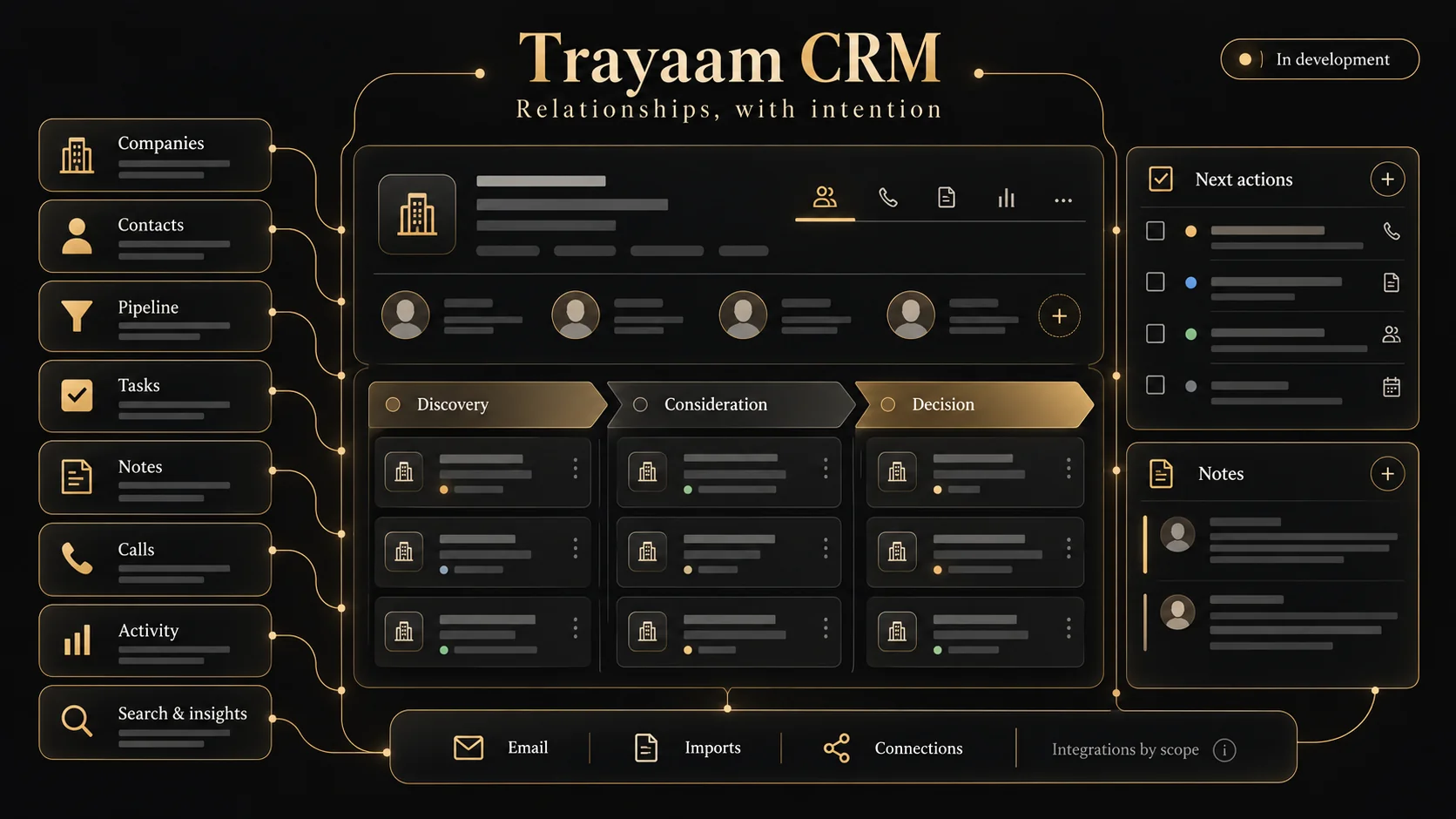
Trayaam CRM is being developed around a simple product brief: help a team understand a relationship and decide its next useful action. The current read-only preview makes that direction tangible through company records, pipeline stages, tasks and relationship context.
Give the next action a place to live.
We organised the interface around companies, people, stage, owner and next action, so a team can move between its daily focus and the context behind each conversation. Those relationships shape the product’s navigation and the information shown on each record.
Connect the daily view to the relationship.
The Today view brings focus tasks and relationship signals into a single entry point. Relationships, people, notes, pipeline and tasks have dedicated navigation. The preview shows how a record and a next step can remain connected instead of becoming separate pieces of administration.
Build an inspectable workflow first.
The interface uses React and TypeScript. The public preview uses sample records and read-only controls, allowing the navigation, record context and workflow direction to be reviewed without exposing customer data. A planned integration in the navigation is not the same as a connected production integration.
Complete the operational layer before client rollout.
The product is in final development. Managed access, persistent production data, email connections and rollout testing remain separate acceptance work. Each implementation needs agreed roles, import rules, integration permissions, failure handling and support ownership before real customer records are introduced.
The workflow, at a glance.
- 01
Understand
Open a company and review its relationship context.
- 02
Prioritise
Use stage, owner and next action to organise the pipeline.
- 03
Follow through
Review tasks and the next step from the daily workspace.
The result and the next step.
The current result is an interactive, read-only product preview that demonstrates the interface and core workflow direction. Sample records allow the relationship views, pipeline and daily focus to be explored safely. Production release follows the remaining access, data and integration checks.
Explore the preview, then bring us your relationship workflow. We can compare a configured existing CRM with bespoke development and scope the smallest useful release.
Custom CRM development services →